
Islamic Toolkit
on the web and on Android
For Sunni and Shia. Prayer times with the adhan, a Qibla compass, the Quran with audio, duas and ziyarat, Ramadan, zakat and khums, a tasbeeh counter and a qaza tracker. In eight languages.
Free. No account. Use it in your browser, or install the Android app for reminders, Quran audio and offline use. See what is inside
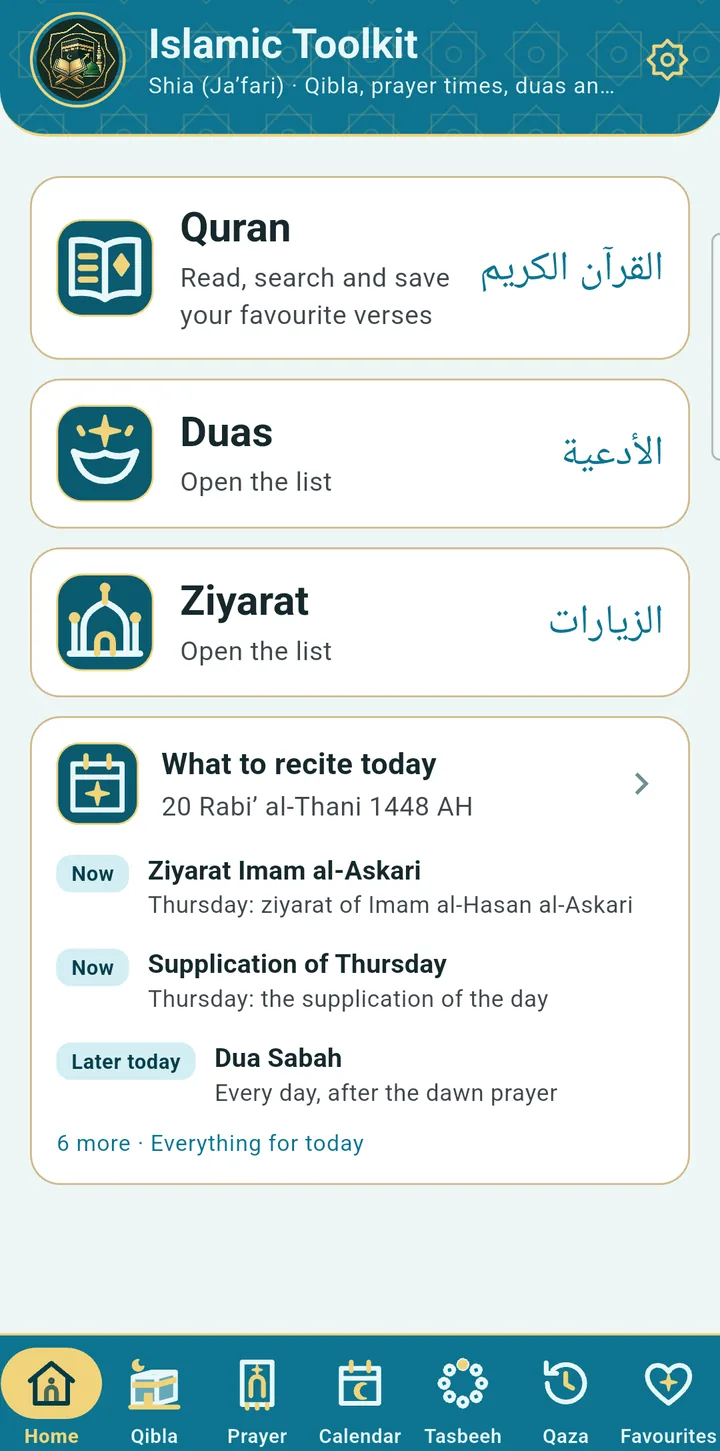
One app for daily worship
Islamic Toolkit puts what a Muslim uses every day in one free app, in your browser or on Android: prayer times and adhan, the Qibla compass, the Quran with audio recitation, duas, adhkar and ziyarat, Ramadan tools and zakat, khums and fitra calculators. You choose Sunni or Shia once, and the prayer rules, texts, adhan and reciter that belong to your tradition are the ones you see.
Use it on the web, or install it on Android
The same app in two places. Start in your browser today, and install the Android app when you want reminders and audio.
Web app
Free, nothing to install
- Quran with translations in English, Urdu, Persian, Turkish, Indonesian, Bengali and Hindi, search and verse sharing
- Tajweed colours in the Quran, with a key to each rule
- Duas, ziyarat, Amaal and Sunni adhkar
- Sunni hadith library: Bukhari, Muslim, Abu Dawud, Tirmidhi, Nasa'i, Ibn Majah, Malik, Nawawi's Forty and Hadith Qudsi, all ready to read
- Allah's 99 Names and the names of the Prophet, shared as image cards
- Imams and family trees (Shia)
- Prayer times (needs your browser's location)
- Hijri calendar, tasbeeh, qaza tracker, zakat, khums and fitra
- Eight colour styles and eight languages
Android app
Free on Google Play
- Everything in the web app, and it works offline
- Adhan reminders at every prayer, with a Sunni or Shia adhan
- Quran audio recitation with verse highlighting, downloads and background play
- Qibla compass using the phone's sensor
- Home-screen widget with the next prayer
- Ramadan, Quran reading-plan and daily verse reminders
- Jumu'ah and Surah Kahf reminders every Friday
- Dua and ziyarat recordings, kept on your phone after the first play
- Hadith books saved on your phone for offline reading
Every feature, in detail
No account and no sign-in. Reminders, Quran audio, the compass sensor, the widget and offline use need the Android app.
Prayer, adhan and Qibla
Prayer times
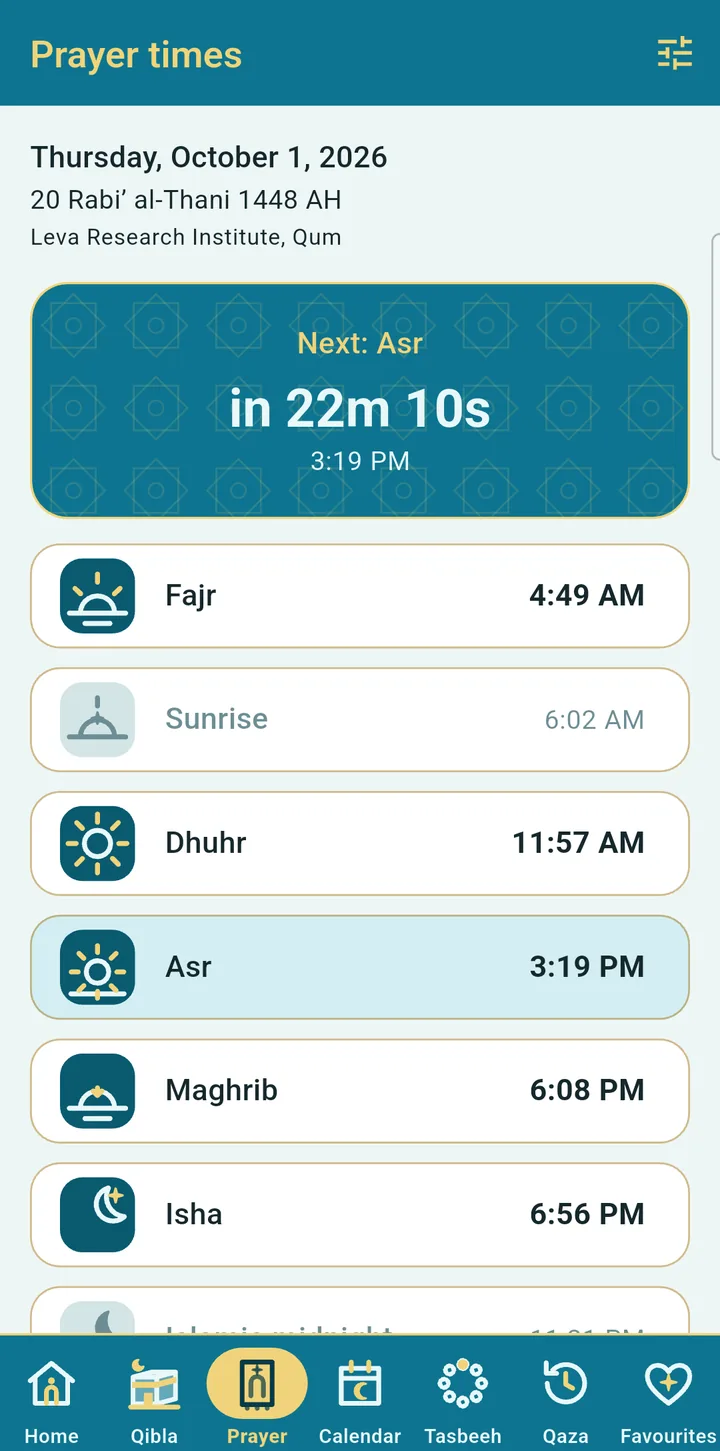
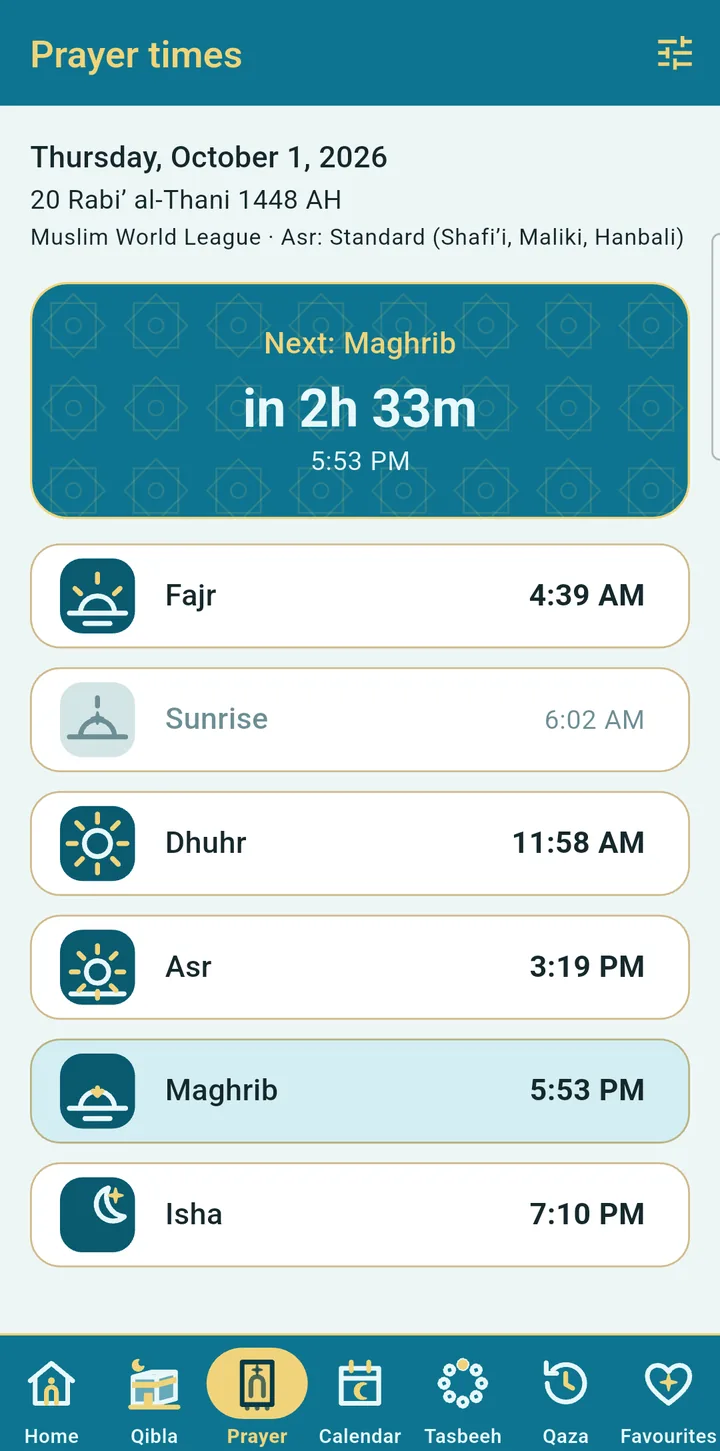
Sunni and Shia methods, calculated on your phone, with a countdown to the next prayer and minute adjustments to match your mosque.
Adhan reminders
The Makkah adhan for Sunni, with its own Fajr adhan, and a Shia adhan. Full or short, with a preview.
Home-screen widget
See the next prayer and its time on your home screen, in your chosen style.
Qibla compass
A live compass with a Kaaba marker, a guide view, the distance to Makkah and vibration when you face the Qibla.
Imams and family tree
For Shia users: the twelve Imams with their births and martyrdoms, mothers, places and ziyarat, and illustrated family trees of the Imams and of Ahl al-Bayt.
Jumu'ah reminders
A Friday reminder and a Surah Kahf reminder, on the Android app.
Hijri calendar
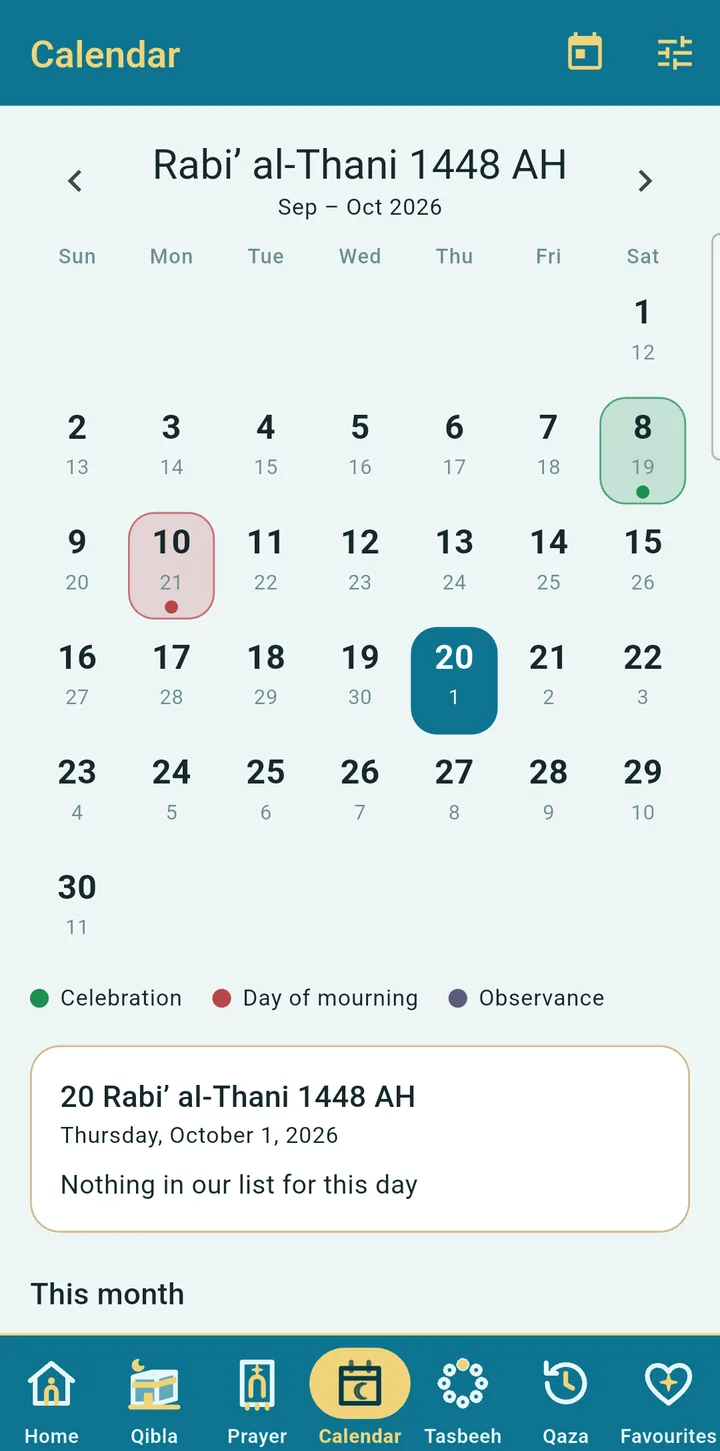
Months with births, demises and observances, a day adjustment for moon sighting, and occasion cards on the home screen.
Quran
Quran with audio
Recitation that highlights each verse and scrolls with you. One reciter for each tradition, downloads for offline, background playback.
Search and go to a verse
Search the Arabic and the translation, or type 2:255 or Ayat al-Kursi to jump straight there.
Repeat, speed and sleep timer
Repeat a verse or a range to memorise, slow the recitation down, and set a sleep timer.
Reading plan and khatam
Finish the Quran in 7 to 90 days, tick off each juz and get an optional daily reminder.
Tajweed colours
Turn on colour-coded tajweed in the reader, with a key that explains each rule and how to pronounce it.
Verse of the day
An optional daily notification with a verse and its translation, at the time you choose.
Share a verse
Share a verse as clean text or as an image card.
Names and hadith
Allah's 99 Names
Each name with its meaning, a verse where it appears and a counter to recite it. Share any name as an image card with the app icon.
Names of the Prophet
His names and titles with their meaning and where they come from: the Quran, the hadith and, for Shia readers, Shia sources.
Hadith library
For Sunni users: Bukhari, Muslim, Abu Dawud, Tirmidhi, Nasa'i, Ibn Majah, Malik, Nawawi's Forty and Hadith Qudsi, with Arabic, translation, narrator and grade, search by word or number. Ready to read on the web; saved on your phone in the Android app.
Duas, ziyarat and recitations
Sunni adhkar and duas
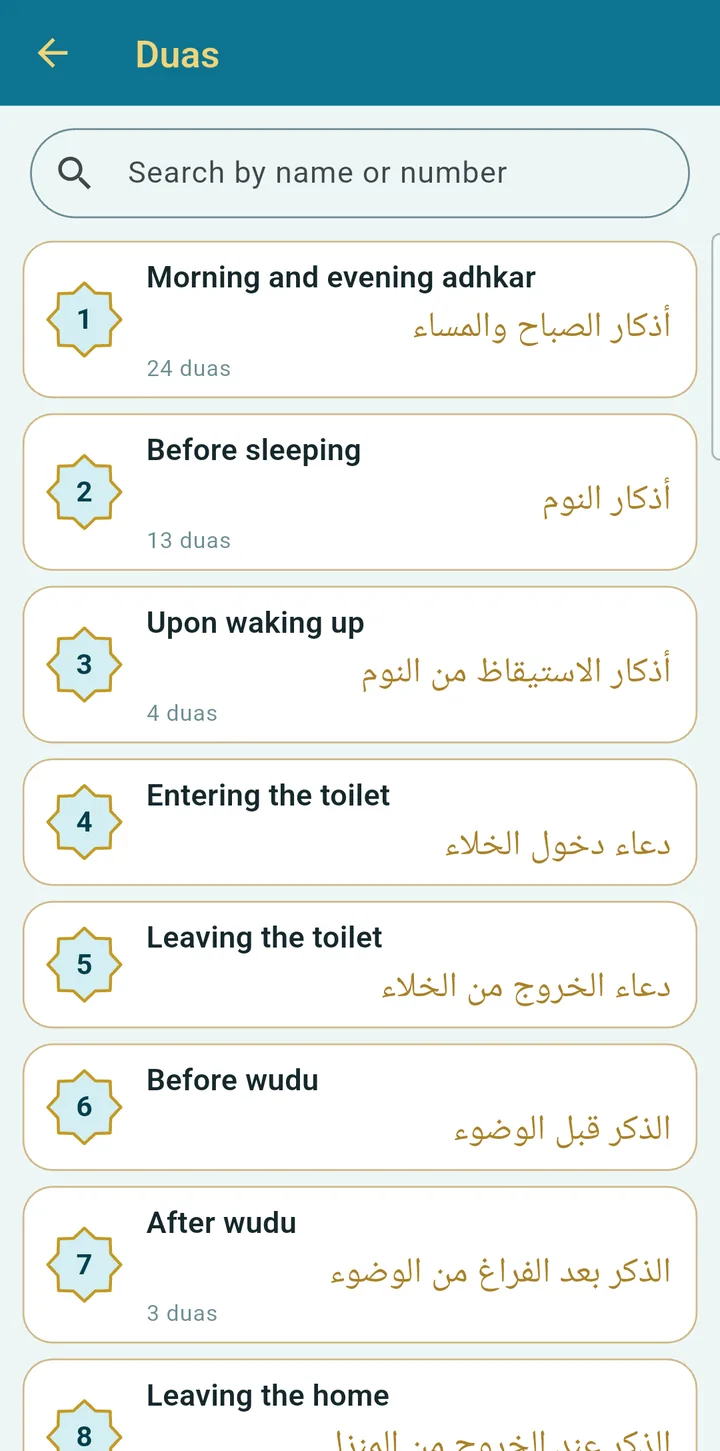
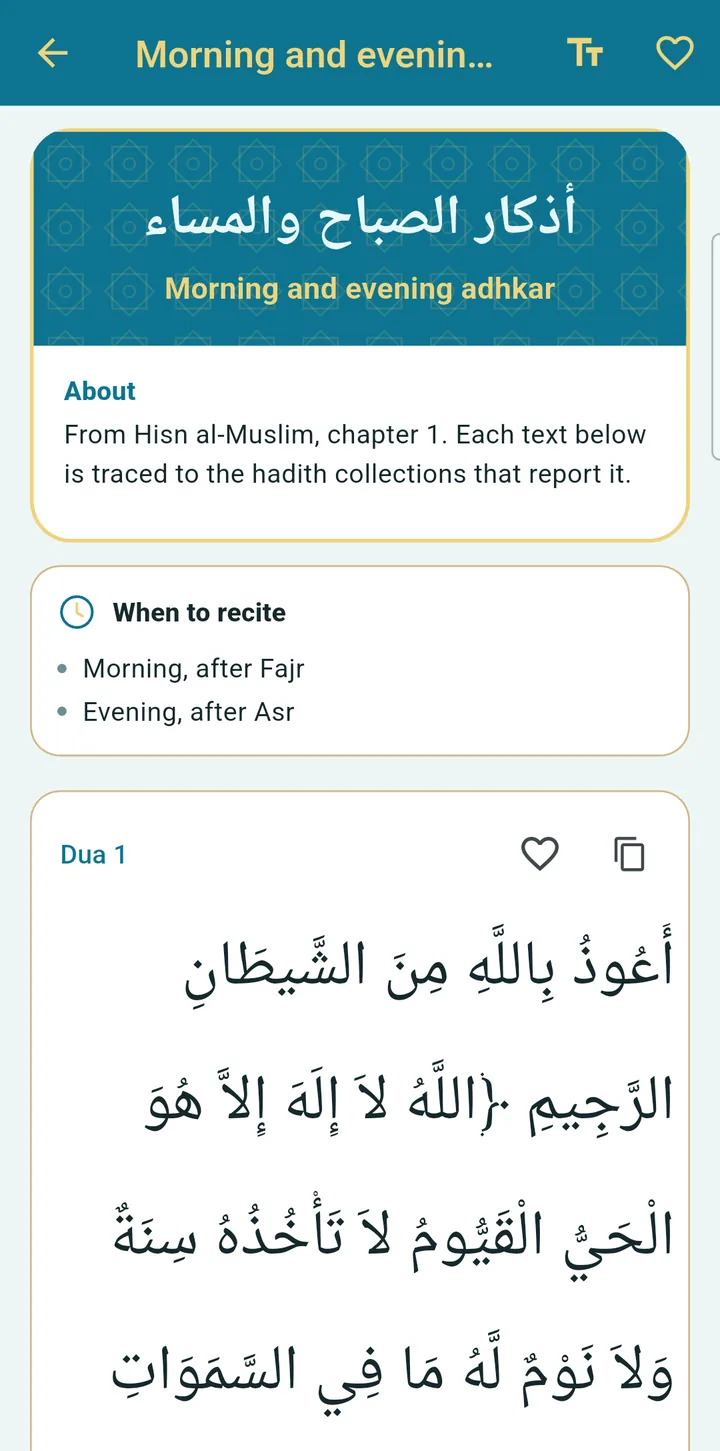
132 chapters from Hisn al-Muslim, each with its source and references.
Shia duas and ziyarat
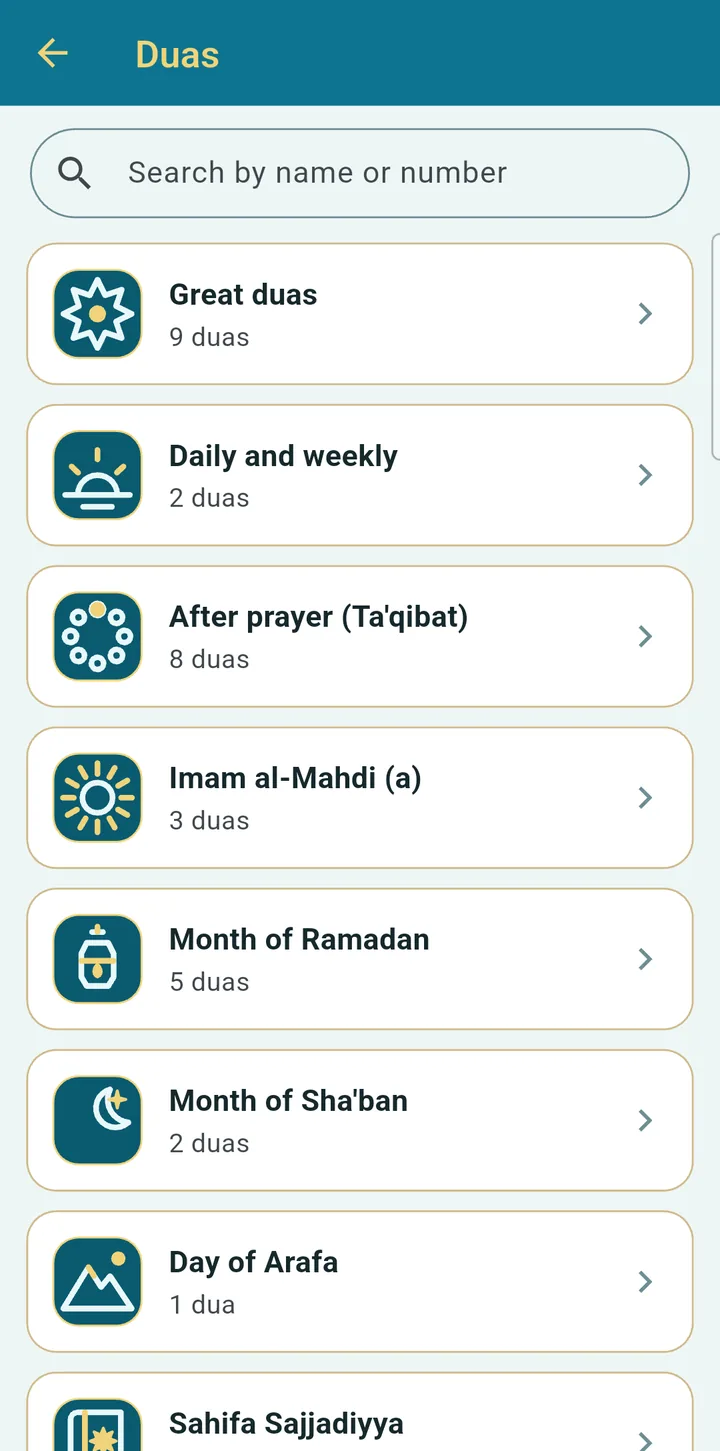
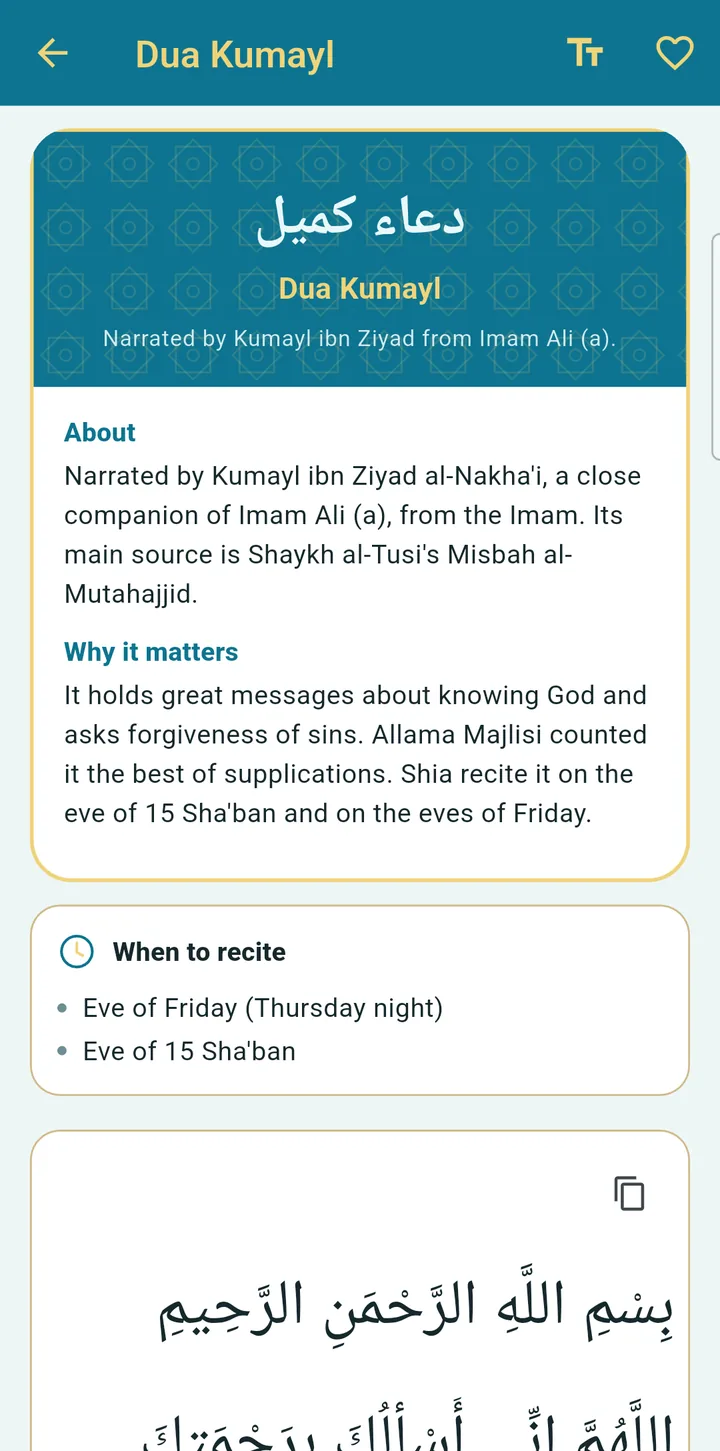
More than 100 duas, including the Sahifa Sajjadiyya, Kumayl, Nudba and Mashlul, more than 90 ziyarat and ta'qibat for every prayer.
Amaal
The rites of the special days and months, for Shia users.
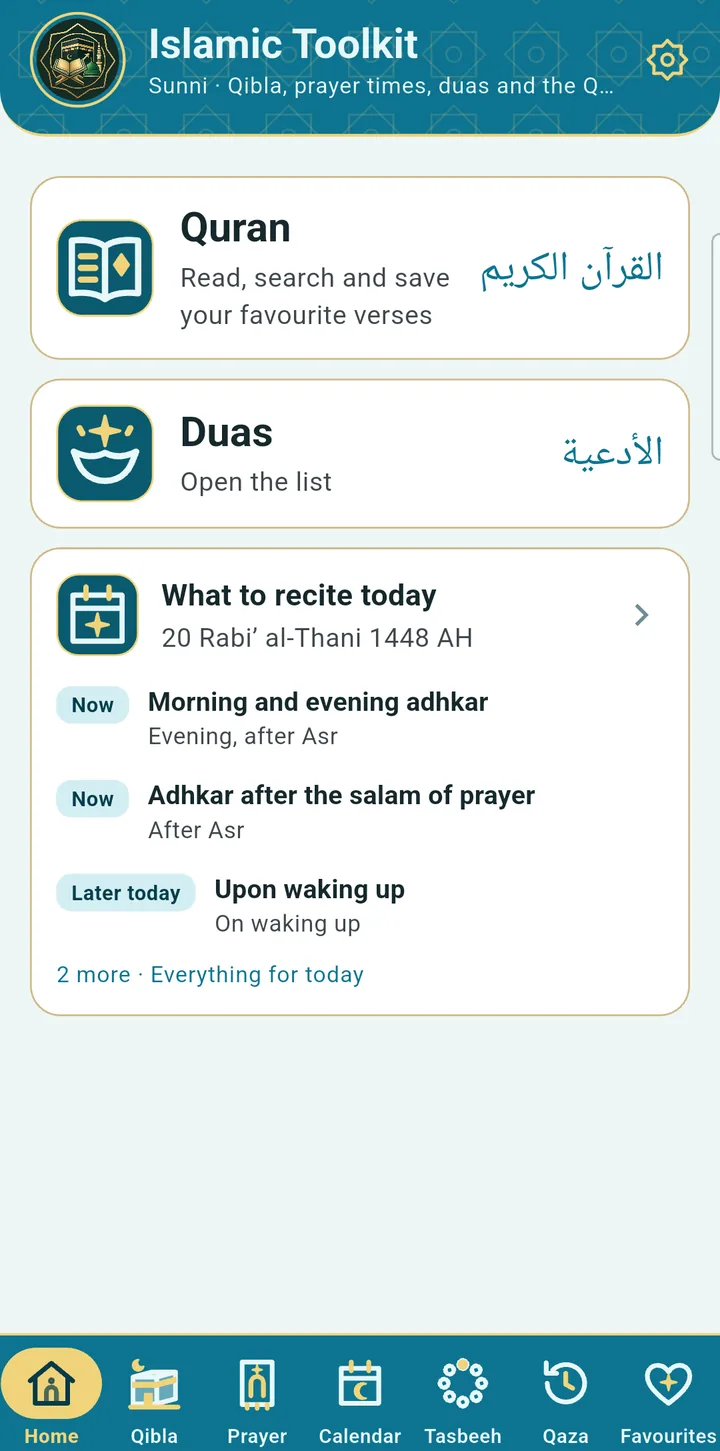
What to recite today
Suggestions for the time of day, the weekday and the Hijri date.
Ramadan, giving and daily worship
Ramadan
Suhoor and iftar times, reminders, a countdown, and a fasting check-off with a streak.
Zakat, Khums and Fitra
Calculators with the nisab, the 20% khums and its split, and fitra per person.
Tasbeeh counter
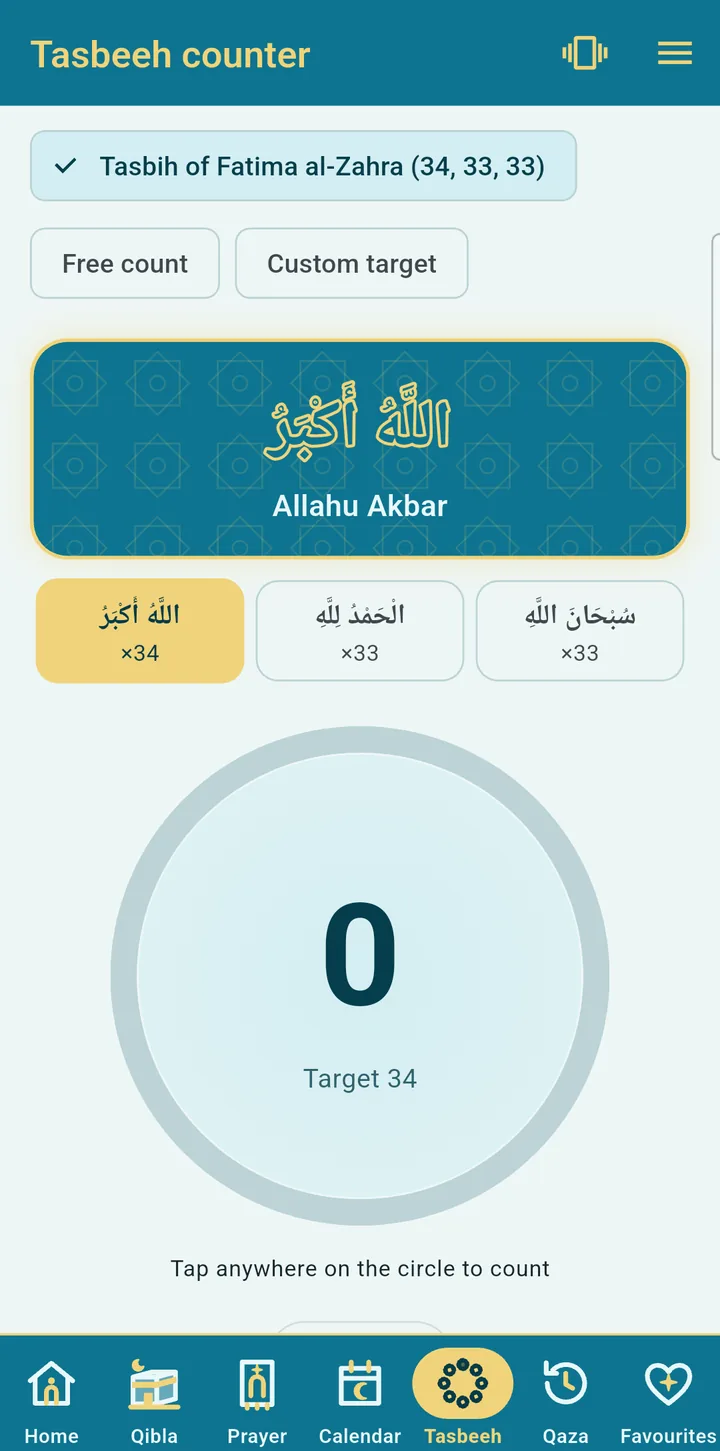
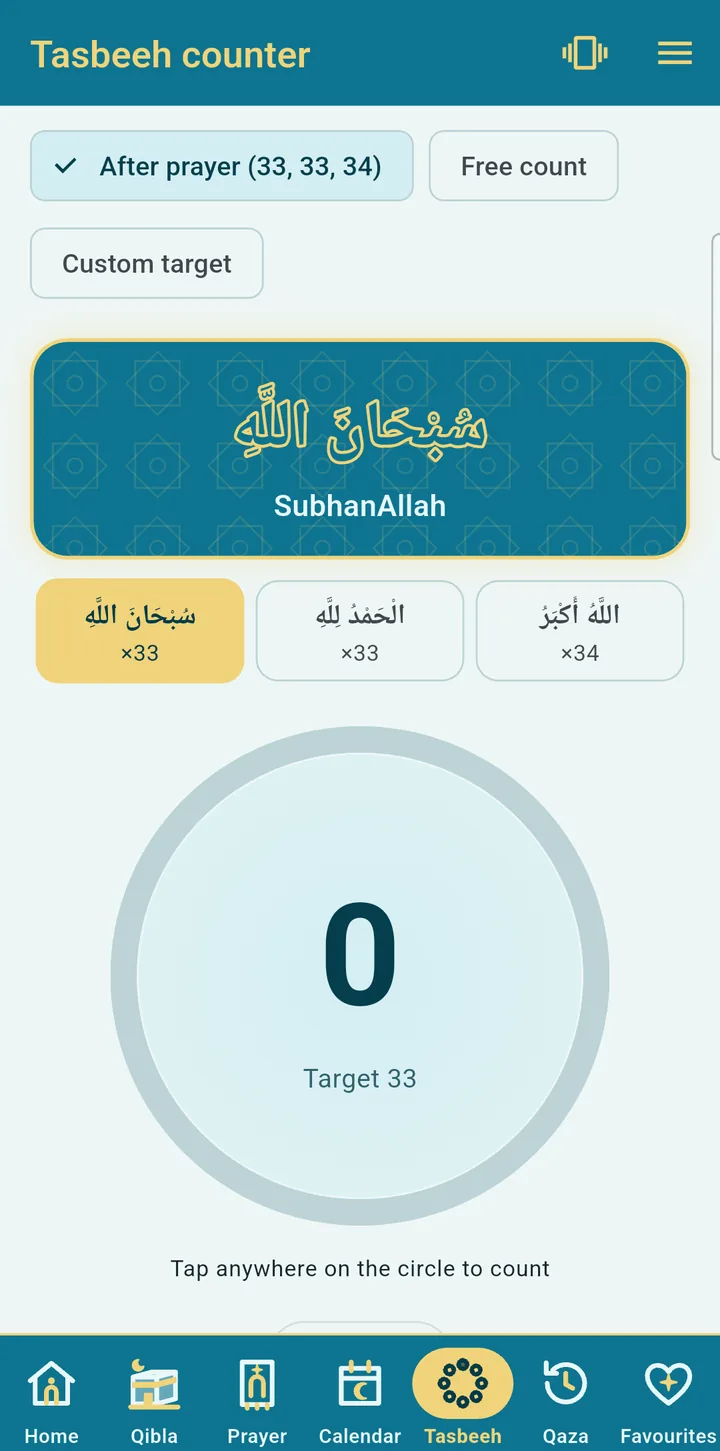
The Tasbih of Fatima al-Zahra, the after-prayer tasbih, or your own words.
Qaza tracker
Count missed prayers and fasts and mark each one as you make it up.
Favourites
Save surahs, duas and ziyarat with a heart and find them in one tab.
Make it yours
Eight colour styles
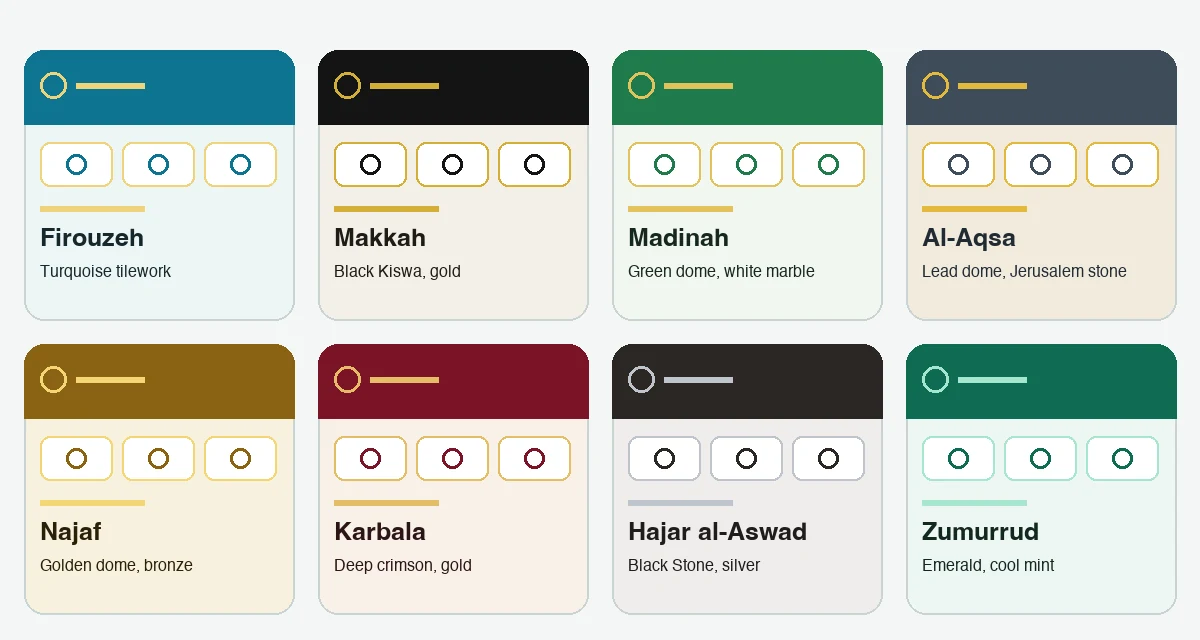
Firouzeh, Makkah, Madinah, Al-Aqsa, Najaf, Karbala, Hajar al-Aswad and Zumurrud, each in light and dark, chosen when you first open the app.
Arabic fonts and text size
A choice of Arabic fonts and text sizes, with comfortable layouts for tablets.
Eight languages
The whole app in English, Urdu, Arabic, Persian, Turkish, Indonesian, Bengali or Hindi, with right-to-left layouts where needed.
Keep screen on
The screen stays on while you read the Quran, a dua or a ziyarat, or count tasbeeh.
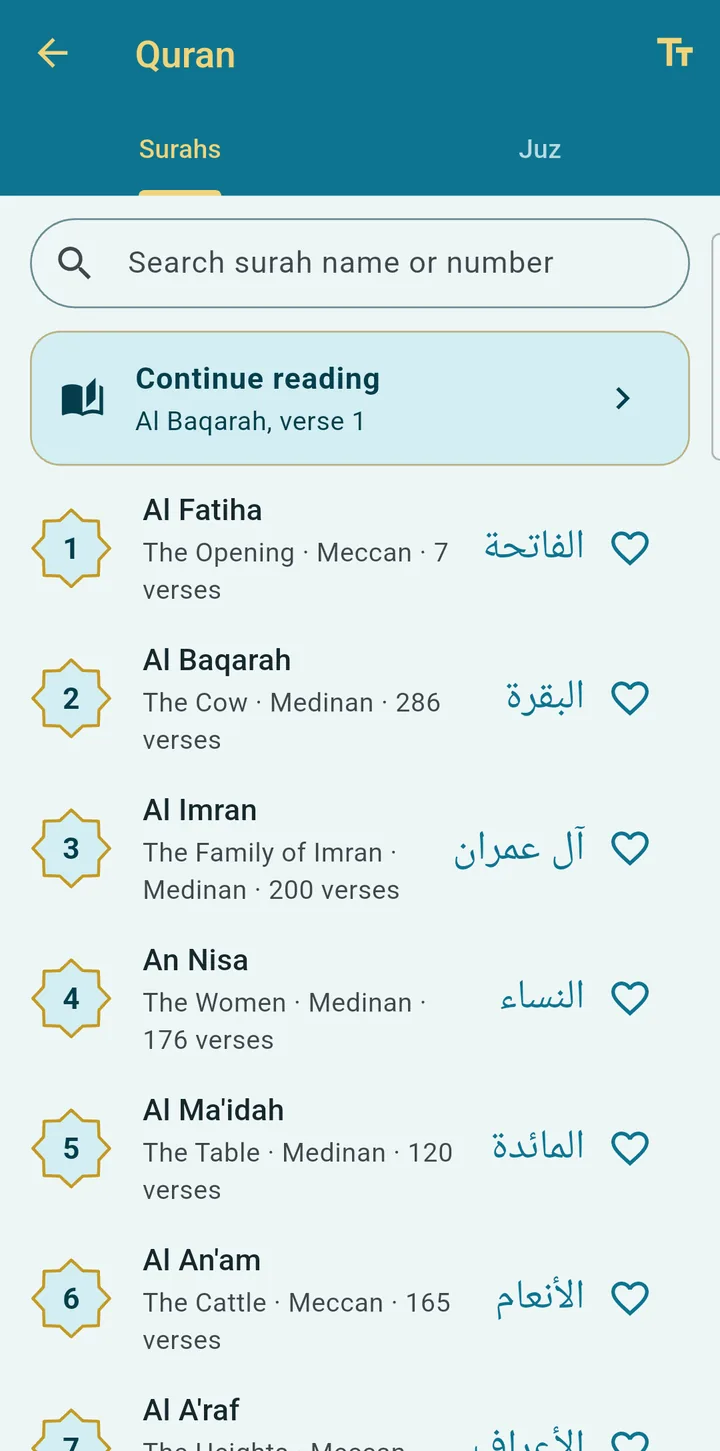
Quran audio that follows along
Press play and the current verse is highlighted while the page scrolls with the recitation. Abdul Basit (Murattal) for Sunni users and Karim Mansouri for Shia users.
- Download a surah once and listen offline, Wi-Fi only by default, with the size shown first
- Download a whole reciter, about 1 GB, with a clear storage warning
- Plays in the background with notification controls
- Repeat a verse or a range, change the speed, sleep timer
- Search the Arabic and the translation, jump to 2:255, share a verse as an image
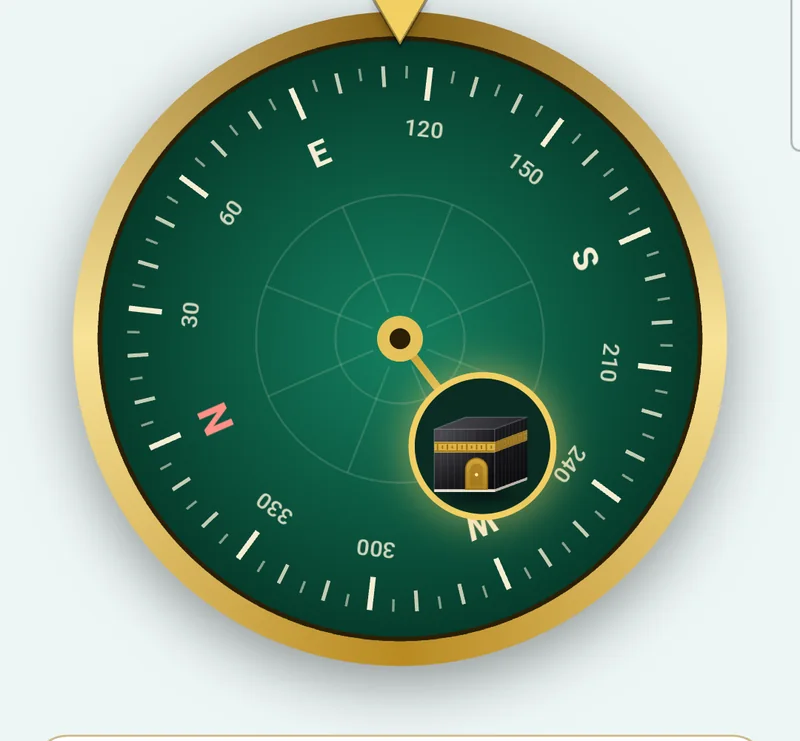
Find the Qibla without guessing
The compass reads your phone's sensor only while the Qibla screen is open, and uses your location only to work out the direction and distance to the Kaaba. Nothing is sent anywhere.
- Compass and guide views
- Vibration when you are facing the Qibla
- Calibration warning when the sensor is unreliable
Sunni and Shia, kept separate
You choose at first launch and can change it in Settings. Only the Qibla compass and the Arabic Quran text are shared. Prayer times, calendar, duas, adhan, Quran translation and reciter follow your choice and never borrow from the other.
Sunni
- Prayer methods: Muslim World League, ISNA, Umm al-Qura, Karachi and Egyptian, with Standard or Hanafi Asr
- The Makkah adhan, with a separate adhan for Fajr
- 132 chapters of adhkar and duas from Hisn al-Muslim, with Quran and hadith references
- A hadith library with Arabic and translation: Bukhari, Muslim, Abu Dawud, Tirmidhi, Nasa'i, Ibn Majah, Malik, Nawawi's Forty and Hadith Qudsi
- Zakat and fitra calculators
- Calendar occasions and tasbeeh after prayer
- Quran recitation by Abdul Basit (Murattal)
Shia (Ja'fari)
- Prayer methods: Leva (Qum) and Tehran, Maghrib by angle, Islamic midnight, joined-prayer view
- A Shia adhan for every prayer
- More than 100 duas, including the Sahifa Sajjadiyya, the Fifteen Munajat, Kumayl, Nudba and Mashlul
- More than 90 ziyarat, ta'qibat for every prayer, and the Amaal of special days
- Khums and fitra calculators
- Quran recitation by Karim Mansouri
Eight styles, light and dark
Choose a look the first time you open the app, and change it any time in Settings. Each style comes in light and dark, with a choice of Arabic fonts and text sizes.
A look inside
Screens from the Sunni and Shia versions of the app.
Eight languages
The whole app, including right-to-left layouts, is available in English, Urdu, Arabic, Persian, Turkish, Indonesian, Bengali and Hindi, and the Quran translation follows your language where one exists for your tradition. اردو صفحہ
Works offline
Prayer times, the Qibla, the Quran text, duas, ziyarat, the calendar and the calculators work without a connection. The internet is used only to show the banner ad and to download Quran audio when you choose to.
Frequently asked questions
Is Islamic Toolkit free?
Yes. The app is free, with no account and no sign-in. It is supported by one small banner ad.
Does it work offline?
The Android app does. Prayer times, the Qibla compass, the Quran text, duas, ziyarat, the calendar, the calculators and reminders all work without a connection there. The web app needs a connection to load, and then you can keep reading.
Is there a web version?
Yes. Open the web app in any browser, on a phone, tablet or computer, with nothing to install. It has the Quran with tajweed colours, duas, ziyarat, Amaal, the Sunni hadith library (Bukhari, Muslim and seven more books, already included), Allah's 99 Names and the names of the Prophet, the Imams section, prayer times, the Hijri calendar, tasbeeh and the calculators. The Qibla compass, reminders, Quran audio, the home-screen widget and offline downloads are only in the Android app.
Which prayer time methods does it use?
Sunni users can choose Muslim World League, ISNA, Umm al-Qura, Karachi or Egyptian, with Standard or Hanafi Asr. Shia users can choose Leva (Qum) or the Institute of Geophysics, University of Tehran. Each prayer can also be adjusted by a few minutes to match your local mosque.
Does it have an adhan notification?
Yes. Sunni users get the Makkah adhan, with a separate adhan for Fajr, and Shia users get a Shia adhan. You can choose the full adhan, a short adhan of about 30 seconds, your phone's sound, or silent, and preview each one.
Can I listen to the Quran offline?
Yes. Each surah is downloaded the first time you play it, then plays offline. Downloads are Wi-Fi only by default, and you can download a whole reciter (about 1 GB) from the audio settings.
Is it for both Sunni and Shia Muslims?
Yes. You choose your school of thought at first launch and can change it in Settings. Prayer times, the calendar, duas, recommendations, the adhan and the Quran reciter follow your choice. The Qibla compass is shared.
Which languages does it support?
English, Urdu, Arabic, Persian, Turkish, Indonesian, Bengali and Hindi, including right-to-left layouts. The Quran translation follows your language where one exists for your tradition.
Why do the prayer times differ from my mosque?
Prayer times are calculations, and mosques often set their own timetable. Use Adjust prayer times in the app to move each prayer earlier or later by a few minutes.
Does the app collect my data?
No. There is no account, and your location, favourites, counters and settings stay on your phone. The banner ad is provided by Google AdMob in the Android app and Google AdSense in the web app, which handle the information they need to show it. Read the full policy on the privacy page.
Where can I get Islamic Toolkit?
Use it now in your browser at apps.aalisoft.com/islamictoolkit/app/, or install the Android app from Google Play.
Your privacy
We do not ask you to create an account, and we do not collect your personal information. Your location, favourites, counters, reading plan and settings stay on your phone. The app shows one banner ad, through Google AdMob on Android and Google AdSense on the web, which handle the data they need to do that.
Prayer times are calculations and can differ from your local mosque by a few minutes. If they do, use Adjust prayer times in the app to move each prayer earlier or later, in minutes, so it matches your local mosque timetable.